The problem with feedback tools
Users don't tell you what's really wrong. You get support tickets saying 'it's broken' with zero context. Bug reports that take weeks of back-and-forth to understand. And when you do get useful feedback, it's scattered across email, Intercom, Twitter, and that one Notion doc someone started six months ago.
Meanwhile, collecting testimonials is a separate headache entirely. You're asking happy customers to jump through hoops while frustrated ones churn silently.
The same user who loves your product might have a specific frustration. One moment they're your biggest advocate, the next they're rage-quitting over a button that doesn't work. Traditional tools make you choose: capture the praise OR capture the criticism. Never both.
What we built
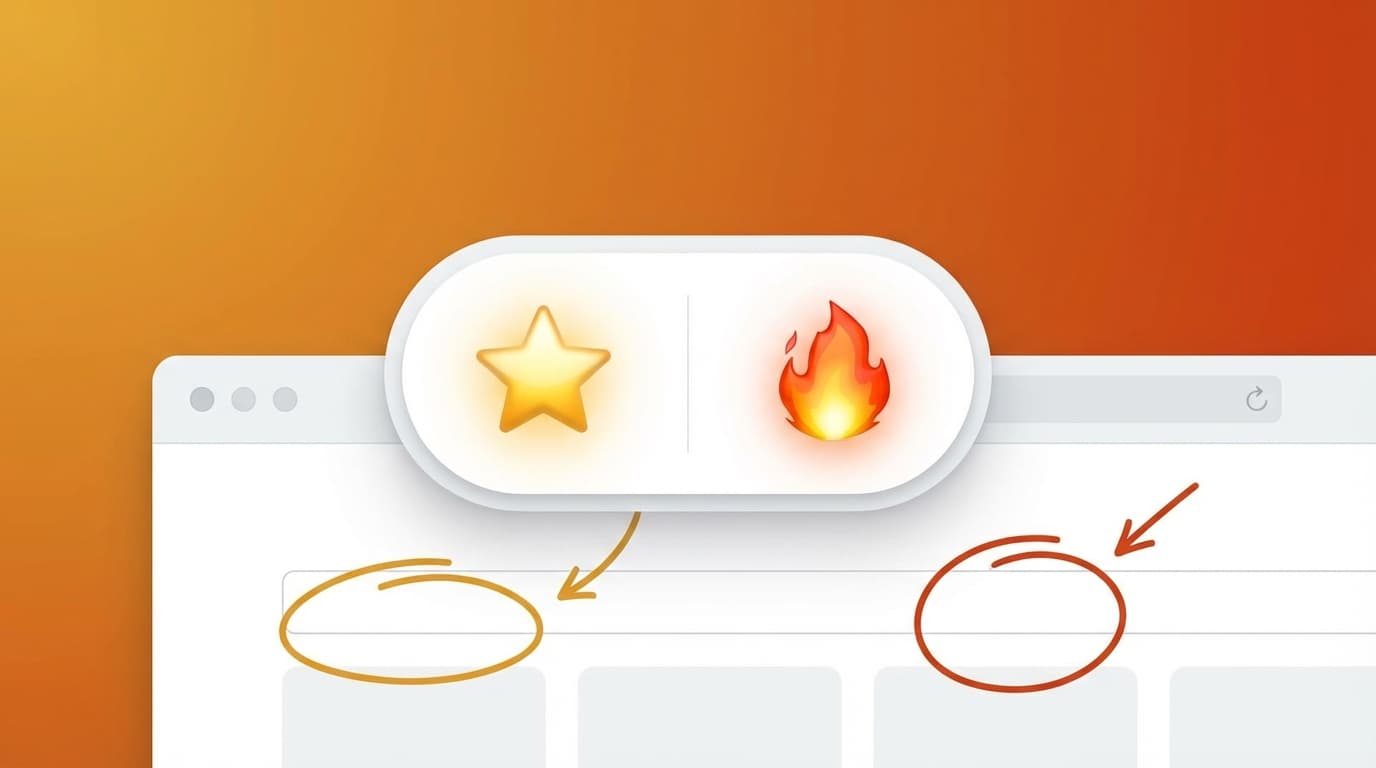
Roast is a single embeddable widget with two modes. Users toggle between Praise (testimonials with star ratings) and Roast (criticism with heat levels). Same interface, same dashboard, full picture of user sentiment.
The signature feature is the Heat Slider—five levels from 😐 Lukewarm to 🤬 Nuclear. It sounds counterintuitive to gamify frustration, but here's what we discovered: when you make criticism feel less confrontational, users give you MORE honest feedback, not less. They actually enjoy rating their anger level.
The second key feature is annotated video recording. Users can capture their screen (with optional picture-in-picture camera overlay), then draw directly on the recording—circling buttons, adding arrows, highlighting problem areas. A frustrated user showing you exactly what's broken with annotations is worth a hundred vague bug reports.
How we built it
The tech stack is Next.js 14 with React 18, TypeScript, Tailwind CSS, and Supabase for the database and auth. Stripe handles billing across three tiers.
The most interesting technical decision was using Shadow DOM for the widget. When you embed something on someone else's website, their CSS can break your styling in unpredictable ways. Shadow DOM gives us complete isolation—our widget looks identical whether it's on a minimalist landing page or a WordPress site with seventeen conflicting stylesheets.
For video recording, we deliberately avoided third-party libraries. The MediaStream API in modern browsers is genuinely capable. We built camera-only recording, screen recording, and screen-plus-PIP (where the user's face appears as a small overlay) using native browser APIs. The result is a widget bundle of around 80KB gzipped with no external video dependencies.
The annotation canvas took around 500 lines of Canvas 2D API code. Tools include freehand pen, shapes (rectangle, circle, arrow), text labels, a highlighter, and a spotlight mode that dims everything except the selected area. Full undo/redo stack because people make mistakes when they're frustrated.
Multi-tenancy is handled at the database layer through Supabase Row Level Security. Every query is automatically filtered by user ID—you literally cannot accidentally expose another customer's data through an API bug because the security lives in PostgreSQL, not application code.
What went well
The Shadow DOM decision paid off immediately. We tested the widget on a dozen different sites with wildly different CSS approaches and it rendered perfectly every time. Worth the initial complexity of making React play nicely inside the shadow boundary.
The Heat Slider turned out to be genuinely engaging. We were worried users might find it gimmicky or feel mocked, but early testing showed the opposite—the emoji progression makes the whole feedback process feel lighter and less adversarial.
Building with native browser APIs for video kept the bundle lean and gave us complete control over the recording experience. No fighting with library abstractions or paying for features we don't need.
What was harder than expected
Combining screen and camera streams into a single picture-in-picture recording required canvas composition that took longer to get smooth than anticipated. The streams have different frame rates and resolutions, and making the camera overlay feel natural took iteration.
We also underestimated how much work the annotation canvas would be. Drawing tools seem simple until you need pressure-sensitive curves, consistent stroke widths across zoom levels, and an undo system that doesn't feel laggy. That component alone is over 500 lines.
What we'd do differently
We should have stubbed the AI analysis earlier. The database schema includes fields for sentiment scores, auto-generated tags, and summaries, but the actual OpenAI integration isn't functional yet. We designed the UI around AI insights that don't exist yet, which means the dashboard feels incomplete. Next time, mock the AI responses earlier so we can test the full user experience.
Large video uploads need TUS resumable uploads—the framework is there but not fully implemented. On slow connections, big recordings will fail. This should have been prioritised higher.
Mobile responsiveness for the widget works but some interactions are awkward on small screens. Starting mobile-first would have saved rework.
The methodology in practice
Roast is week 12 of the 52 Products challenge—building and shipping a new product every week for a year. It's how we practise what we deliver for clients in our MVP Sprints.
The constraint of shipping something real in a fixed timeframe forces ruthless prioritisation. We cut features that seemed important (real-time transcription, Slack integration, session replay embedding) to ship the core value: a widget that captures both praise and criticism with rich context.
When we run MVP Sprints for clients, the same discipline applies. Not 'what would be nice to have' but 'what's the minimum to prove this works'—then ship it and learn.
Get early access
Roast isn't live yet, but you can join the waitlist at roastnow.com to get early access. We're using Waitstack (another one of our 52 Products builds) to manage the queue.
Sign up and you'll be first in line when we launch. And yes, once it's live, we'll be embedding the widget on the Roast landing page—so you can roast us directly. We can take the heat. 🔥